
Documentation Index
Fetch the complete documentation index at: https://docs.notifuse.com/llms.txt
Use this file to discover all available pages before exploring further.
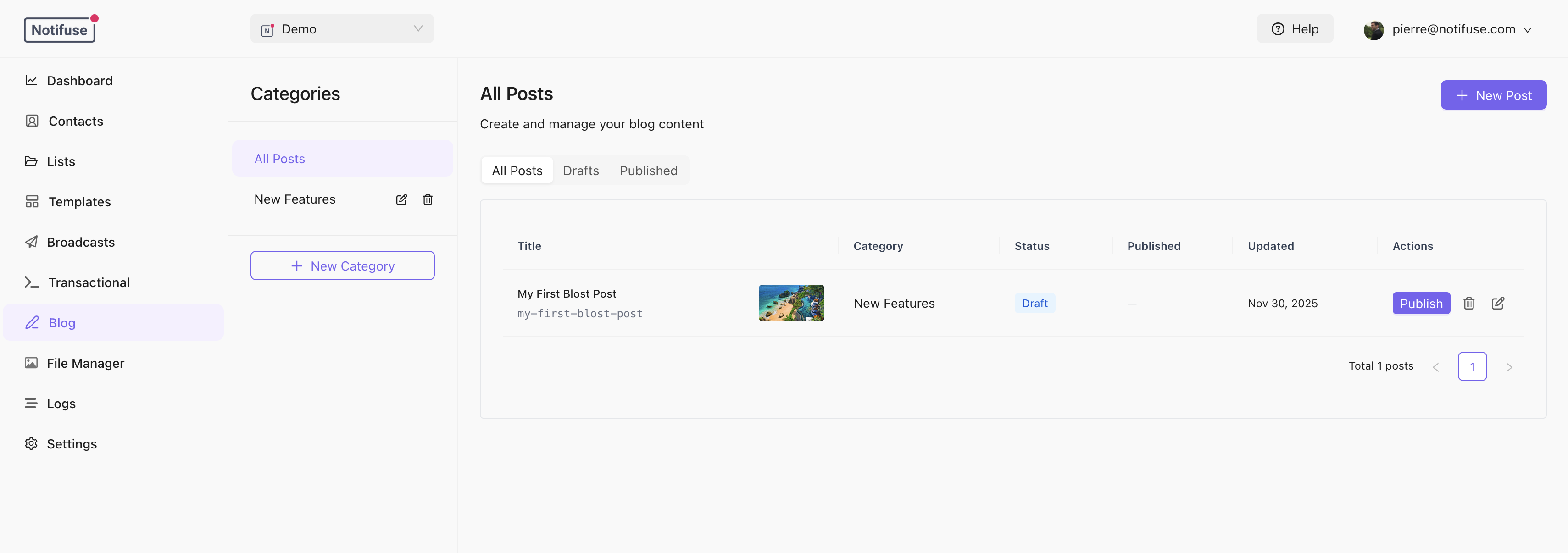
Categories
Posts are organized into categories. Each category has:- Name: Display name
- Slug: URL identifier (lowercase, hyphens only)
- Description: Optional description
- SEO Settings: Default SEO for posts in this category
Creating Posts
- Select a category from the sidebar
- Click New Post
- Fill in the post details
- Save as draft or publish
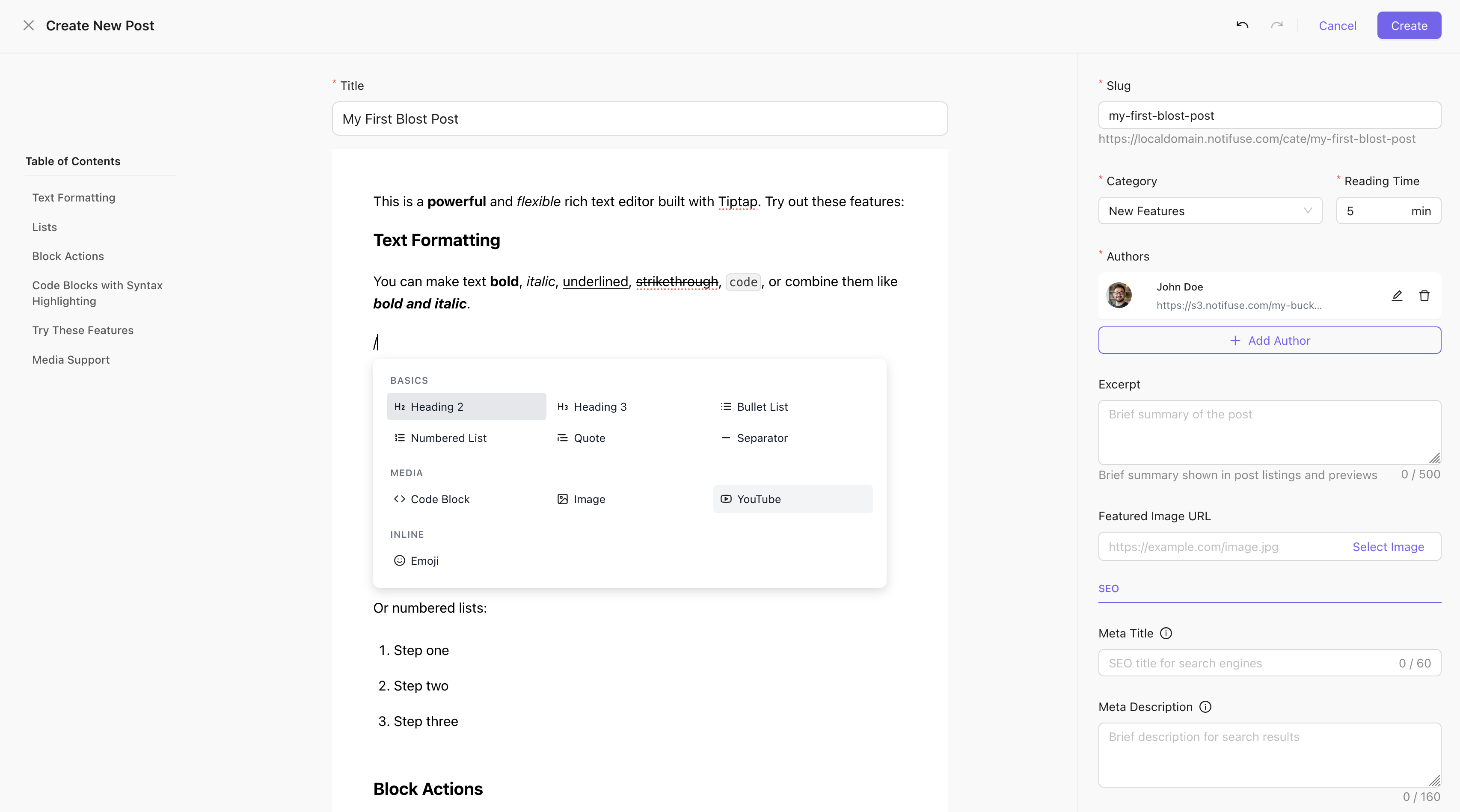
Post Fields
| Field | Description |
|---|---|
| Title | Post headline (max 500 chars) |
| Slug | URL identifier (auto-generated from title) |
| Excerpt | Short summary for listings |
| Featured Image | Cover image URL |
| Authors | Author names and avatar URLs |
| Reading Time | Estimated minutes to read |
| Template | Web template containing the post content |
Publishing
Publish Now
Click Publish to make the post live immediately.Schedule
Set a futurepublished_at date to schedule publication:
- Click Schedule
- Select date and time
- Choose timezone
- The post goes live automatically at the scheduled time
Unpublish
Click Unpublish to revert a post to draft status.SEO Settings
Each post can override category and blog-level SEO:| Field | Description |
|---|---|
| Meta Title | Title tag (defaults to post title) |
| Meta Description | Search result description |
| OG Title | Social sharing title |
| OG Description | Social sharing description |
| OG Image | Social sharing image |
| Keywords | Meta keywords |
| Canonical URL | Canonical URL override |
| Meta Robots | Crawling directives |
Post URLs
Posts are accessible at:https://blog.example.com/announcements/new-feature-launch